Research multiple terminology sources with a single keystroke
Select a word in your CAT tool, a PDF, or an email, press one keystroke, and SuperLookup opens it across all your terminology sources at once – IATE, Linguee, ProZ, Glosbe, termbases, corpora, Wikipedia and 40+ more. Each in its own ad-free tab, all in one clean window – not scattered across your browser, with your logins remembered.
Windows · macOS · Linux – no install, no account, no sign-up.
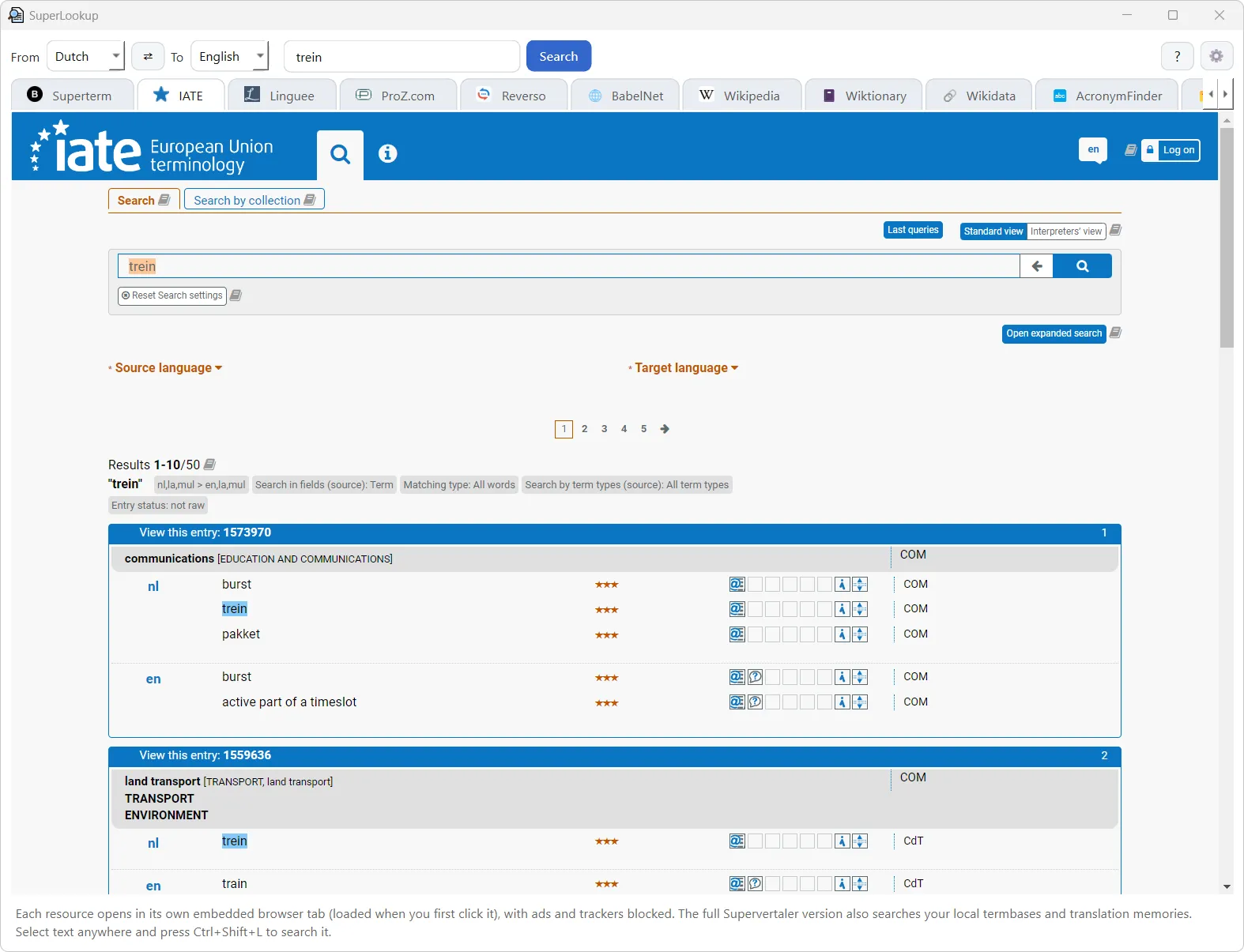
How it works
- Select a term anywhere – your CAT tool, a PDF, an email, a browser.
- Press the global hotkey (default
Ctrl+Shift+L, or⌘⌥Lon macOS). SuperLookup jumps to the front, already searching it. - Click through the tabs – every site opens in its own embedded, ad-free view, with your login remembered and trackers blocked.
Why a desktop app
⌨️ Global hotkey
Call it up on any selected text, from any application – no copy-paste, no alt-tabbing.
🗂️ 40+ resources, one place
Beijer Dictionary, IATE, Linguee, ProZ, Glosbe, bab.la, Wikipedia, EUR-Lex, medical & EU terminology and more – enable only what you use.
🚫 Ad-free & private
An EasyList-based blocker strips ads and trackers from every tab, so the sites are cleaner than in a normal browser.
🔐 Logins that stick
Sign into ProZ, Juremy or Beijer Dictionary once and stay signed in across launches.
🔎 Inline previews
Wikipedia, Wiktionary and Wikidata list their matching pages right inside the tab; site favicons and adjustable zoom keep it tidy.
🪶 Light & self-contained
A single download that runs without installing anything, and lives in the system tray so the hotkey works even when the window is closed.
Download
Each build is self-contained (~150–210 MB) and starts in a couple of seconds. New to it? Read the quick help. SuperLookup also comes built into the Supervertaler Workbench, alongside your own termbases and translation memories.